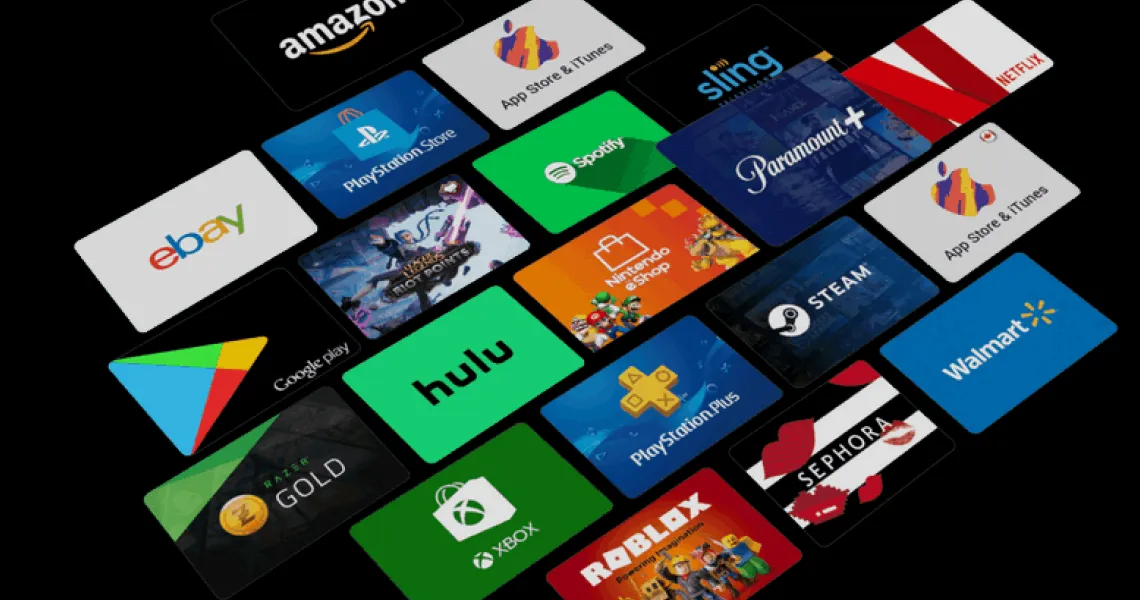
Discord Nitro is the one subscription most gamers end up buying twice — once badly, then once properly. Buying it badly means tapping Subscribe inside the phone app and quietly paying a platform markup for the next twelve months. Buying it properly takes the same two minutes and costs less, and if you are giving it to someone else there is a whole second set of rules about gift links, expiry windows and account credit that nobody explains until something has already gone wrong. This guide covers all of it: what the two tiers actually differ on, where each purchase route bills you, how to fund it from an Apple or Google Play balance instead of a bank card, and how to gift and redeem Nitro without losing the code to a 48-hour timer.
What Nitro actually gets you
There are two paid tiers, and the gap between them is narrower than most people assume. Nitro Basic covers the things you notice every day — custom emoji everywhere and file uploads that do not bounce. Full Nitro adds the things you notice when you stream, upload video, or run a server: a much larger upload ceiling, high-resolution streaming, and two Server Boosts you can park on a community you care about.
| Feature | Free | Nitro Basic | Nitro |
|---|---|---|---|
| File upload limit | 10 MB | 50 MB | 500 MB |
| Custom emoji in any server | No | Yes | Yes |
| Animated emoji and avatar | No | Limited | Yes |
| Server Boosts included | None | None | 2, plus a discount on extra boosts |
| Screen share / stream quality | Standard | Standard | Up to 4K, 60fps |
| Message length | 2,000 characters | 2,000 characters | 4,000 characters |
| Server join limit | 100 | 100 | 200 |
| Profile customisation and badge | Basic | Yes | Yes, including profile banner |
On list pricing, Nitro Basic runs at roughly 2.99 USD a month or 29.99 USD a year, and full Nitro at roughly 9.99 USD a month or 99.99 USD a year, with local currency pricing varying by country. The annual plan is the standard way to cut the effective monthly cost, and it is also the plan most likely to be sitting in your subscriptions list a year later — so decide deliberately rather than by autopilot.
The three places you can buy it — and why the price differs
This is the part worth two minutes of your attention, because the same subscription is sold through three different billing systems and they are not interchangeable. Whichever one you use becomes the system that owns your subscription: it decides your price, your payment methods, and where you have to go to cancel.
| Route | Who bills you | Typical payment methods | Where you cancel |
|---|---|---|---|
| Discord on desktop or in a browser | Discord directly | Card, PayPal, and regional methods depending on country | Discord → User Settings → Subscriptions |
| Discord app on iPhone or iPad | Apple, as an in-app purchase | Anything on your Apple Account, including Apple gift card balance | iOS Settings → your name → Subscriptions |
| Discord app on Android | Google Play, where the Play billing integration is offered | Whatever your Google Account supports, which can include Play balance | Play Store → Payments and subscriptions → Subscriptions |
The same logic applies in reverse if you deliberately want to pay through a store. Paying through Apple or Google means the charge lands on a balance you already control rather than on a card, which is exactly what you want if you are buying for a teenager, if you do not have a card that works on Discord in your country, or if you simply prefer not to leave card details on a recurring subscription. You accept a slightly higher price in exchange for a payment method that cannot overdraw.
Paying for Nitro with Apple or Google Play balance
Neither Apple nor Google gives you a separate button that says pay with gift card. Store balance is applied automatically ahead of your other payment methods, so the entire trick is making sure the balance is on the account before you press Subscribe.
- Redeem the gift card onto the right account firstOn iOS, open the App Store, tap your profile picture, choose Redeem Gift Card or Code and enter the code. On Android, open the Play Store, tap your profile icon, then Payments and subscriptions → Redeem code. Redeem before you subscribe, not after — a subscription already charged to a card will not retroactively pull from your balance.
- Check the balance shows on the accountYour store balance is visible on the same screen you redeemed it on. If it is not there, you have almost certainly redeemed onto a second account you forgot you were signed into — a very common outcome on shared family devices.
- Subscribe from inside the Discord mobile appOpen Discord on the same device and the same store account, go to the Nitro tab, and choose your tier. The purchase sheet that appears is Apple’s or Google’s, not Discord’s — that is how you know the balance will be used.
- Confirm and check the receiptComplete the purchase and read the confirmation. If the balance covered it, the amount charged to your card should be zero or the remainder only. Nitro activates on the Discord account you are signed into on that device, so double-check the username before you confirm.
How to gift Nitro to someone
Gifting is genuinely well designed on Discord, and it is the right way to give Nitro to a friend: you never need their password, their email or their payment details. You buy a gift, you get a link, they claim it on their own account.
- Open the place you want to send it fromA direct message with the person, a group chat, or a server channel. You can also start from the Nitro tab and send the link yourself afterwards.
- Click the gift icon next to the message boxIt sits to the right of the text field. The Gift Nitro window opens with the tiers and durations you can buy.
- Pick the tier and duration, then continue to paymentNitro or Nitro Basic, monthly or yearly. Pay with whatever method that platform supports — on iOS this is an in-app purchase, so store balance applies as above.
- Personalise it, if you are on desktopGifts sent in a DM from desktop or browser let you choose a card design, add a note, attach a soundboard effect and add emoji confetti. The mobile flow is plainer, so send from desktop if the presentation matters.
- Send the link — or hold it in your inventoryThe gift appears in User Settings → Gift Inventory. From there you can copy the link to send whenever you like, or revoke it if you sent it to the wrong person.
How to redeem a gift link or code
There are two shapes a Nitro gift arrives in, and each has its own path.
- If you got a linkClick it, or paste it into your browser. Sign in to the Discord account you want the Nitro on, then confirm on the accept screen. Read the account name on that screen before you accept — this is the last moment the decision is reversible.
- If you got a bare codeOpen Discord, go to User Settings → Gift Inventory (under Billing Settings), paste the code into the Redeem Code field and click Redeem.
- Check it landedYour subscription and its end date appear under User Settings → Subscriptions. If you already had Nitro, see the credit rule in the next section — the gift is not lost, it is queued.
- Signed in to the correct account, not an old one your browser remembered.
- Claiming within 48 hours of the link being generated.
- Two-factor authentication is on, because you are about to type credentials into a login screen reached from a link.
- The domain is discord.com or discord.gift, with nothing else in front of it.
The gift rules that trip people up
| Situation | What actually happens |
|---|---|
| The link is more than 48 hours old | The link expires, not the gift. The sender opens Gift Inventory and generates a fresh link for the same gift. |
| You sent the link to the wrong person | Revoke it from Gift Inventory before it is claimed. Once claimed, it belongs to whoever claimed it. |
| The recipient already has Nitro | The gift converts to account credit of the same value and applies when their current subscription ends. |
| You want a refund on an unclaimed gift | Discord allows a request window — around five days from purchase for gifts bought on desktop, web or Android. Purchases billed by Apple follow Apple’s refund process instead. |
| You want a refund on a claimed gift | Not possible. Once someone has claimed it, the value has moved to their account. |
| The recipient is in a different country | Fine. Nitro gifts are not tied to the recipient’s region. |
Fake Nitro links: how to tell in five seconds
Free Nitro is the single most-used lure in Discord phishing, and it works because a real gift genuinely does arrive as a link from a friend. The attack is usually run from an account that has already been stolen, so the message comes from someone you actually know. Treat every unexpected Nitro link as hostile until the domain checks out.
Cancelling, and switching from one platform to another
The rule is simple and catches almost everyone at least once: you cancel where you bought it. Cancelling inside Discord does nothing to an Apple or Google subscription, and people discover this when the charge appears anyway the following month.
- Bought on desktop or web: User Settings → Subscriptions inside Discord.
- Bought on iPhone or iPad: iOS Settings → your name → Subscriptions. Discord cannot cancel this one for you.
- Bought through Google Play: Play Store → profile icon → Payments and subscriptions → Subscriptions → Discord Nitro → Cancel subscription.
- In all three cases the benefits run to the end of the period you already paid for — cancelling early does not cut you off early.
Troubleshooting
| Symptom | Likely cause | Fix |
|---|---|---|
| Gift link says it is invalid or expired | The 48-hour link window has passed, or the gift was revoked | Ask the sender to reissue the link from Gift Inventory |
| Gift claimed but Nitro is not active | You already had a subscription, so it became credit | Check Subscriptions — the credit applies when the current period ends |
| Nitro landed on the wrong account | You were signed into a different account when you claimed | Not reversible in practice. Contact Discord support, but do not expect a transfer |
| Payment declined on desktop | Card blocked for the merchant, or a method unsupported in your country | Try PayPal or a regional method, or buy through the mobile store with balance |
| Store balance was not used | The balance sits on a different store account, or a card was the default | Verify the balance on the same account you are subscribing from, then retry |
| Charged after cancelling | Cancelled inside Discord for a subscription billed by Apple or Google | Cancel again in the correct store, then request a refund there |
| Boosts vanished after downgrading | The 2 included Boosts belong to full Nitro, not Nitro Basic | Nothing to fix — the server loses that boost unless someone else supplies it |
FAQs
Can I buy Discord Nitro with a gift card?
Why is Nitro more expensive on my phone than on my laptop?
How long does a Nitro gift link last?
What happens if I am gifted Nitro while I already have it?
Can I gift Nitro to a friend in another country?
Is Nitro Basic worth it instead of full Nitro?
Someone sent me a free Nitro link. Is it real?
Do I lose my Nitro benefits the moment I cancel?
Can I get a refund on Nitro?
The Virtwave Payments Team has processed millions of gift card top-ups across 80+ countries. They test every major wallet platform (Razer Gold, PSN, Steam, Google Play, Apple, Xbox) on a weekly cadence to keep our how-to content accurate.


