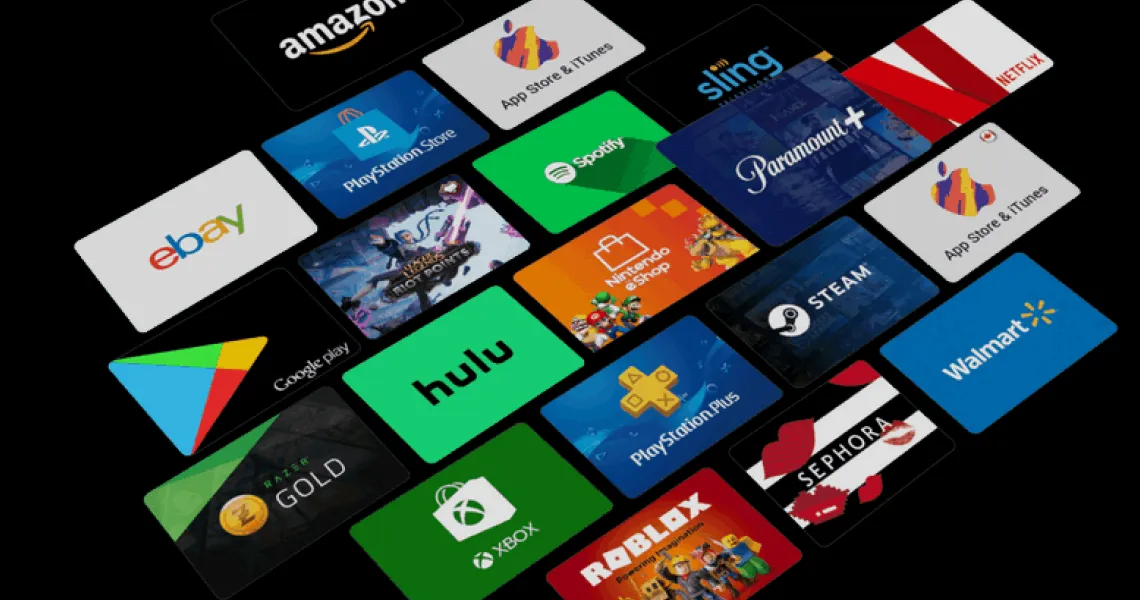
Loading a gift card onto an account is the easy part. The question that actually decides whether the card was a good idea is the one nobody asks at the till: when the subscription renews next month, does the platform take the money out of that balance, or does it quietly charge the card on file and leave the balance sitting there untouched? Both things happen in 2026, on platforms that look identical from the outside. Apple will reach for your balance first. Google Play, by its own documentation, will not do it the way most people assume. PlayStation will take your wallet money for a PS Plus renewal whether or not you were saving it for a game. And Spotify will refuse the card outright if you are already subscribed. Here is the whole picture, platform by platform, with the rules each company publishes itself.
The quick answer
If you only read one section, read this one. Every platform below falls into one of three buckets, and knowing which bucket you are in tells you almost everything you need before you buy.
- Balance-first — the platform checks your balance at renewal time and uses it if it covers the charge. Apple, PlayStation, Nintendo (when set to “Available Funds”) and Netflix all behave this way.
- Balance at signup only — the balance covers the first payment, then renewals fall back to your card. This is Google Play’s documented behaviour, and it catches people out constantly.
- Prepaid time, not balance — the card is converted into a fixed number of subscription months rather than money, and it cannot coexist with a card-billed plan. Spotify is the clearest example.
Follow the biller, not the brand
Almost every confusing case resolves once you work out who is actually taking the payment. A Netflix subscription can be billed by Netflix, by Apple, or by Google — three different billers, three different sets of rules, one identical-looking app. The gift card you need is always the one belonging to the biller, never the one with the matching logo. If your Netflix is billed through Apple, an Apple Gift Card pays for it and a Netflix gift card cannot be applied. If it is billed by Netflix directly, the reverse is true.
Platform-by-platform: does balance pay the renewal?
| Platform | Balance pays the first charge? | Balance pays renewals? | Backup card needed? | If balance runs short |
|---|---|---|---|---|
| Apple Account balance | Yes — tried first | Yes, if it covers the whole charge | Yes, for most subscriptions | Card on file is charged for the full amount |
| Google Play balance | Yes — applied by default, can split with a card | No — renewals go to your payment method | Yes | Card is charged; balance stays put |
| PlayStation (PS Plus) | Yes | Yes — wallet is used first | Optional but recommended | Card charged, or auto top-up runs, or membership lapses |
| Xbox (Game Pass) | Yes | Yes, where balance covers it | Yes — required to start a recurring sub | Card charged, or membership lapses at period end |
| Nintendo Switch Online | Yes | Yes, if renewal is set to “Available Funds” | Required for Family plans | Renewal fails unless card or PayPal is set |
| Netflix | Yes | Yes — next payment comes from the balance | No | Card charged if on file, otherwise account pauses |
| Spotify | N/A — converts to prepaid months | N/A — no auto-renewal while prepaid | No | Plan drops to Free when the months run out |
Apple Account balance
Apple is the most gift-card-friendly of the seven. Apple’s payment documentation is explicit that when you buy something or pay for a subscription, Apple first attempts to use your Apple Account balance to cover the full amount, and only moves on to your other payment methods if it cannot. That applies to renewals as well as one-off purchases, so a card loaded in January genuinely does pay February’s iCloud+ or Apple Music bill.
There are two conditions worth knowing. The balance has to cover the entire charge — Apple pulls a recurring charge from balance only when the balance is large enough for all of it, so a $4 balance against a $10 subscription does not become “$4 from balance, $6 from the card”, it becomes $10 on the card. And a small number of recurring charges, AppleCare+ being the usual example, cannot be started on balance at all, with the exact list varying by country.
- Redeem the card firstOn iPhone or iPad, open the App Store, tap your profile picture, then “Redeem Gift Card or Code”. The camera can read the code off the back of a physical card, or you can type the 16-character code from an emailed one.
- Keep a payment method on fileApple asks for one for most subscriptions even when your balance would cover them. It is the fallback for the months your balance falls short — it is not evidence that the balance is being ignored.
- Check the balance before the renewal dateTap your profile picture in the App Store; the balance shows under your name. Compare it against the renewal amount in Settings → your name → Subscriptions.
- Top up in whole-charge incrementsBecause Apple will not split a recurring charge, aim to keep at least one full renewal’s worth of balance rather than a trickle. A $25 card against a $9.99 monthly plan cleanly covers two renewals with change.
Google Play balance (read this one carefully)
This is the section that surprises people, because Google Play looks like Apple and does not behave like it. Google Play’s subscription documentation describes a feature called Split Payment, which lets you combine your Play balance with another payment method to cover a subscription. If the sign-up cost is more than your balance, Google says your current Play balance will be applied by default to that initial payment and the rest goes to another method. So far, so Apple-like.
The catch is in the next sentence. Google states that Split Payment applies only to the initial subscription sign-up charge or an upgrade charge, and that for all subsequent renewal payments only your primary payment method and any backups you have configured will be charged. In other words: the balance is a sign-up-day feature, not a standing arrangement. Assuming month two comes out of the balance is how people end up with an untouched Play balance and an unexpected card charge.
- Play balance is genuinely excellent for one-time purchases: games, in-app items, Robux, movie rentals and single-purchase apps all come straight out of it.
- Watch the payment method shown on the subscription’s confirmation screen at checkout — that is the method renewals will use, and it is set at sign-up.
- If your balance was applied at sign-up via Split Payment, the renewal amount will be the full price, not the reduced amount you actually paid on day one.
- Cancelling and re-subscribing to force the balance in again works, but you lose any introductory pricing and any unused days on the current period.
PlayStation Plus and the PSN wallet
PlayStation is at the opposite end of the spectrum from Google: the wallet is used first, aggressively, and that is exactly what makes it worth understanding. If there is enough money in your PSN wallet when a PlayStation Plus membership renews, Sony takes the renewal from the wallet. No card is touched. This is genuinely convenient if it is what you wanted, and genuinely annoying if you had been saving that balance for a game preorder — which is the single most common complaint about PSN billing.
Sony also supports adding funds automatically from a saved card when the wallet cannot cover a renewal, which keeps a membership alive but can make the wallet feel like a bottomless pipe to your bank account. Both behaviours are configurable, and both are worth checking before you load a large card.
- Check your renewal date and price in Settings → Users and Accounts → Account → Payment and Subscriptions → Subscriptions.
- Decide whether auto-renew should be on at all — if you buy 12-month PS Plus codes, turning it off avoids double-paying.
- Look at whether automatic fund top-ups from a saved card are enabled, and switch them off if you want the wallet to be a hard ceiling.
- If you are saving wallet money for a specific game, buy the game before the PS Plus renewal date, not after.
- Remember that a PS Plus code and PSN wallet funds are different products — a membership code adds time, wallet funds add money.
Xbox Game Pass and Microsoft account balance
Microsoft sits in the middle. Balance redeemed from an Xbox or Microsoft gift card can pay for a Game Pass subscription, and where the balance covers a renewal it is used. What trips people up is that Microsoft treats a recurring subscription as requiring a payment method on file regardless — so you can be asked to add a card or PayPal account even with plenty of balance sitting there. That is a requirement of setting up recurring billing, not a sign that your balance is being bypassed.
If you would rather Microsoft never had a card to charge, the alternative is to buy prepaid Game Pass codes and redeem them as time rather than running a recurring subscription — the same pattern that works well on PlayStation. Availability of prepaid Game Pass codes varies by region and by tier, so check what your region actually sells before committing to that approach.
- Redeem gift cards at microsoft.com/redeem or on the console under Account → Payment & billing → Redeem code.
- Balance shows against your Microsoft account and is spendable across Xbox and the Microsoft Store in the same region.
- A subscription paid from balance still shows a payment method on file — check the purchase history to see which one was actually charged.
- If the balance is short at renewal, the card takes the whole charge; the two are not blended.
Nintendo Switch Online
Nintendo gives you the clearest control of any platform here, because it asks you outright which payment method automatic renewal should use. The options are credit card, PayPal, or available funds — that last one being your eShop balance, which is what an eShop gift card tops up. Set it to available funds and your membership renews out of the balance with no card involved at all.
Two caveats. Family memberships are the exception: Nintendo requires a credit card or PayPal as the automatic renewal method for the Family and Family + Expansion Pack tiers, so an eShop balance alone will not carry one. And if you pick card or PayPal as the renewal method, any amount needed beyond your funds goes to that method — so a hybrid setup falls back to the card rather than failing.
| Membership | Can renew from eShop funds? | Card or PayPal required? |
|---|---|---|
| Individual | Yes — set renewal to “Available Funds” | No |
| Individual + Expansion Pack | Yes | No |
| Family | No | Yes |
| Family + Expansion Pack | No | Yes |
Netflix
Netflix is the simplest of the lot and behaves the way most people expect a gift card to behave. Redeem the card and the amount is added to your account as a balance; your next payment is taken from that balance rather than from a card. You can redeem more than one card, the balance stacks, and Netflix emails a reminder seven days before it runs out so a lapse does not arrive unannounced.
The important detail is what happens at the end. If you have no payment method on file, you simply watch until the balance is exhausted and the account then pauses — which is exactly why Netflix gift cards work well as a no-card, no-commitment way to subscribe, and why they suit gifts to someone who does not want a recurring charge. If you do have a card on file, it takes over seamlessly once the balance hits zero, so keep an eye on that reminder email if you intended the card to be a hard stop.
Spotify (the odd one out)
Spotify does not run a balance at all. A Spotify gift card converts into a fixed number of prepaid Premium Individual months, and that is a different product from money in an account. The consequence is the single most-reported gift card problem of the lot: if you are already on Premium and paying by card, the code will be rejected. Spotify does not stack prepaid time on top of a card-billed subscription — you have to cancel, wait for the paid period to expire and drop back to Free, and then redeem.
- Gift cards only apply to Premium Individual. Duo, Family and Student plans cannot be paid with one.
- You can stack prepaid time, but only up to roughly 18 months on an account — beyond that the redemption fails.
- While you are on prepaid time there is no auto-renewal, which is the appeal: the subscription simply ends unless you extend it.
- Regions are strict — a card issued for one market will not redeem on an account registered in another.
Netflix, Disney+ and Spotify billed through a store
Here is where the “follow the biller” rule earns its keep. Plenty of subscriptions can be billed either directly or through a store, and which one you are on was decided whenever you first signed up — often years ago, possibly on a different device. The service’s own gift card and the store’s gift card are not interchangeable, and applying the wrong one usually fails outright rather than politely converting.
| If your subscription is billed by… | The card that pays it | The card that will not |
|---|---|---|
| Apple (App Store) | Apple Gift Card / Apple Account balance | The service’s own gift card |
| Google (Play Store) | Google Play gift card — at sign-up | The service’s own gift card |
| Microsoft | Xbox / Microsoft gift card | The service’s own gift card |
| Sony | PlayStation Store gift card | The service’s own gift card |
| The service directly | That service’s gift card, if it issues one | Any store gift card |
“Nine times out of ten, a “my gift card won’t apply” ticket is not a broken code. It is a card for the right brand and the wrong biller.”
— Virtwave Payments Team, From our support desk notes, 2026
Buying a card for someone who already subscribes
Gift cards for subscriptions make excellent presents and mediocre surprises, because the recipient often has to do something on their end for the gift to land. A quick word beforehand costs nothing and saves the awkward “it says invalid” message a week later.
- Ask who bills themNot which service they use — who charges them. “Do you pay Netflix directly or does it come through your Apple bill?” is the whole question.
- Match the region to their account, not to youEvery platform here enforces region on redemption. Buy for the country their account is registered in, which may not be the country either of you lives in.
- Prefer time-based codes for gifts where you canPS Plus membership codes, prepaid Game Pass and Spotify prepaid months all add time directly and cannot be silently absorbed into an unrelated purchase.
- Warn them if they are on SpotifyIt is the one platform where an existing subscription actively blocks redemption, and the fix requires them to cancel first.
Before you buy the card
- Confirm who bills the subscription — the store or the service.
- Check the renewal price and date so you buy a denomination that covers a whole charge, not most of one.
- Match the card region to the account region exactly.
- On Google Play, plan for the balance to cover the sign-up rather than the renewals.
- On PlayStation, decide whether you want wallet money going to PS Plus before you load it.
- On Spotify, make sure the account is on Free — or will be — before redeeming.
- On Nintendo, set the automatic renewal method to “Available Funds” if you want the eShop balance used.
- Keep the code and the receipt until the balance shows up on the account.
FAQs
Will my Google Play balance be used for my subscription renewal?
Does Apple use my balance before my card?
Why does Apple still ask for a card if my balance covers everything?
Can PS Plus take money I was saving for a game?
Can I pay for Xbox Game Pass entirely with a gift card?
Can I use an eShop balance for Nintendo Switch Online?
My Spotify gift card says it cannot be applied. Why?
What happens to my Netflix balance if I cancel?
Can I combine a gift card balance with a card to pay one subscription charge?
Is it cheaper to pay for a subscription with a gift card?
The Virtwave Payments Team has processed millions of gift card top-ups across 80+ countries. They test every major wallet platform (Razer Gold, PSN, Steam, Google Play, Apple, Xbox) on a weekly cadence to keep our how-to content accurate.


