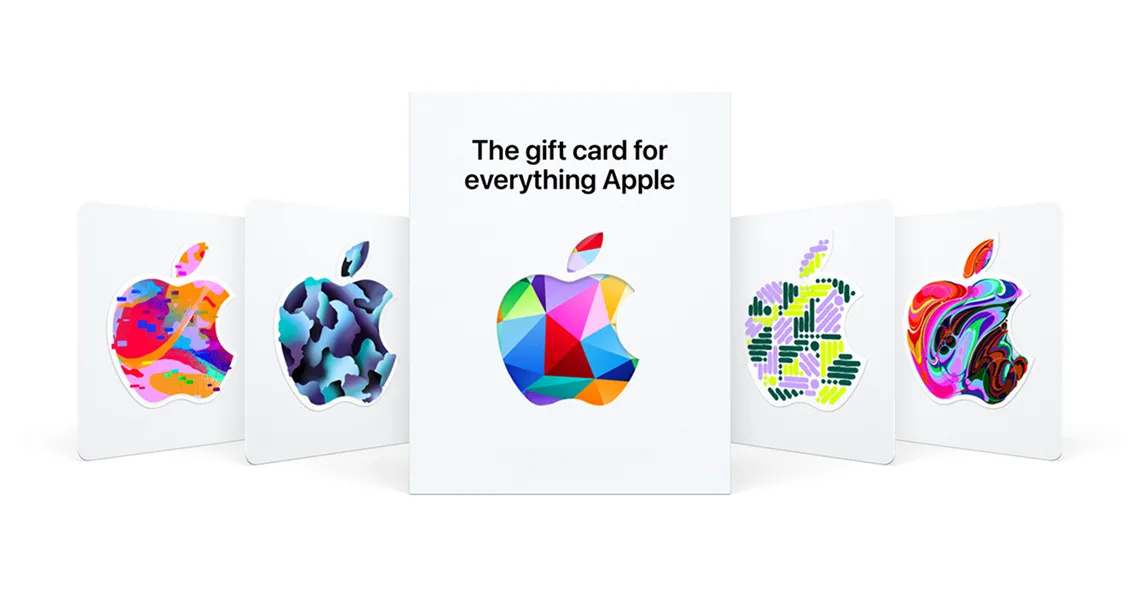
An Apple gift card in Saudi Arabia is riyal store credit for the Saudi App Store, and the only question worth asking is how much you need. At Apple’s own Saudi prices, SAR 100 covers three months of Apple Arcade, four months of Apple Music, two months of Apple One Individual, or 25 months of iCloud+ 50GB. Buy the amount that lands closest to a whole number of months and almost nothing is stranded.
If you already know your number, browse the Apple gift cards on Virtwave — the Saudi ladder runs from SAR 100 through SAR 250 and SAR 500 up to SAR 2,500, and the code is emailed to you in minutes.
What an Apple gift card buys in Saudi Arabia
Redeeming the code does not buy anything by itself. It moves the face value into your Apple Account balance, and Apple then spends that balance first on anything you buy from the Saudi storefront before it touches the card on file. In practice that covers:
- App Store apps and games, including paid downloads and in-app purchases
- Apple Arcade, Apple Music, Apple TV and Apple Fitness+ subscriptions
- Apple One bundles at the Individual, Family and Premier tiers
- iCloud+ storage upgrades, from 50GB up to 12TB
- Books and audiobooks from Apple Books
How much is an Apple gift card in Saudi Arabia?
Seventeen amounts are available for the Saudi storefront: SAR 25, 50, 75, 100, 125, 150, 175, 200, 250, 300, 400, 500, 750, 1,000, 1,500, 2,000 and 2,500. Because the riyal is pegged to the dollar at 3.75, each of those has a fixed dollar equivalent that does not drift with the market — useful if you are comparing what a Saudi card is worth against a US one.
| Card value | Fixed USD equivalent | Who it suits |
|---|---|---|
| SAR 25 | $6.67 | One month of Apple Music, or a single paid app |
| SAR 50 | $13.33 | A month of Arcade with change, or a small in-app top-up |
| SAR 100 | $26.67 | The default gift amount — a quarter of Arcade or two years of iCloud+ |
| SAR 250 | $66.67 | Five months of Apple One Individual |
| SAR 500 | $133.33 | Ten months of Apple One Individual, or five of Premier |
| SAR 1,000 | $266.67 | Ten months of Premier, or twenty of Individual |
| SAR 2,500 | $666.67 | Long-horizon credit for a family device or a shared account |
What each amount covers, month by month
These are whole months fully covered at Apple’s published Saudi prices — Apple Arcade and Apple TV at SAR 29.99 a month, Apple Music at SAR 23.99 and Apple Fitness+ at SAR 36.99. All four are tax-inclusive, so the number below is what the balance actually buys, not a pre-tax estimate.
| Card | Apple Arcade (SAR 29.99/mo) | Apple Music (SAR 23.99/mo) | Apple TV (SAR 29.99/mo) | Fitness+ (SAR 36.99/mo) |
|---|---|---|---|---|
| SAR 25 | — | 1 month | — | — |
| SAR 50 | 1 month | 2 months | 1 month | 1 month |
| SAR 100 | 3 months | 4 months | 3 months | 2 months |
| SAR 250 | 8 months | 10 months | 8 months | 6 months |
| SAR 500 | 16 months | 20 months | 16 months | 13 months |
| SAR 1,000 | 33 months | 41 months | 33 months | 27 months |
| SAR 2,500 | 83 months | 104 months | 83 months | 67 months |
Apple One and iCloud+ storage
Bundles change the arithmetic sharply. Apple One Individual runs SAR 49.95 a month in Saudi Arabia, Family SAR 67.95 and Premier SAR 99.95, while iCloud+ 50GB is only SAR 3.99 — which is why a modest card buys years of storage and only months of everything else.
| Card | Apple One Individual (SAR 49.95) | Apple One Family (SAR 67.95) | Apple One Premier (SAR 99.95) | iCloud+ 50GB (SAR 3.99) |
|---|---|---|---|---|
| SAR 100 | 2 months | 1 month | 1 month | 25 months |
| SAR 250 | 5 months | 3 months | 2 months | 62 months |
| SAR 500 | 10 months | 7 months | 5 months | 125 months |
| SAR 1,000 | 20 months | 14 months | 10 months | 250 months |
| SAR 2,500 | 50 months | 36 months | 25 months | 626 months |
Apple Gift Card, iTunes card, App Store card — same thing?
Apple retired the separate branding some years ago, but Saudi retailers still list both names because the old artwork is what people search for. For apps, games, subscriptions and iCloud+ the two are interchangeable. The only place the wording matters is hardware: Apple’s unified card can be spent on devices in the markets where Apple sells it that way, whereas a reseller code sold as App Store & iTunes credit is digital-only. If a Mac is the plan, read that card’s own terms before you buy rather than assuming.
A Saudi card only works on a Saudi Apple Account
This is the failure we see far more often than a wrong amount. The code is issued against the Saudi Arabian storefront and Apple will only accept it on an Apple Account whose country is Saudi Arabia. Living in Riyadh is not the test — the country field on the account is. An account created years ago in Egypt, the UK or the US will reject a SAR code no matter where the person holding it lives.
Checking which country your account is on
- On iPhone or iPad: Settings → tap your name → Media & Purchases → View Account. The country or region is listed there.
- On a Mac: App Store → click your name in the sidebar → Account Settings.
- A faster sanity check: open the App Store and look at any paid app. If the price shows in SAR, you are on the Saudi storefront.
- Currency is the reliable signal. If prices appear in USD, EGP or AED, a Saudi code will not redeem, whatever address is on file.
Why you cannot just switch country
Changing an Apple Account’s country is possible, but Apple requires you to spend the existing balance down to zero first, cancel any subscription that blocks the move and wait out its billing period, let pre-orders and rentals complete, and have a payment method issued in the new country ready. That is a genuine relocation process, not a five-minute workaround — and crucially it is a chicken-and-egg problem if the balance you are trying to clear came from a card for the wrong region.
Redeeming the code
- Sign in on the right accountOn the device you actually buy from, confirm you are signed in with the Apple Account whose country is Saudi Arabia. On a shared family iPad this is the step people skip, and it is the one that decides whether the code works.
- Open the redemption screeniPhone or iPad: App Store → tap your profile picture top right → Redeem Gift Card or Code. Mac: App Store → your name in the sidebar → Redeem Gift Card. Windows: the Apple Music or iTunes app → Account → Redeem.
- Enter the code manuallyChoose the option to enter the code manually and type the 16 characters. Camera scanning only works on a physical card; an emailed code has to be typed or pasted.
- Check the balance movedGo back to Media & Purchases → View Account. The balance appears at the top of the account screen. If it did not change, the code did not apply — do not retype it repeatedly, because that is how a valid code ends up looking like a fraud attempt.
- Buy the thingStart the subscription or purchase as normal. Apple draws from the balance first and only asks for a payment method if the balance falls short.
Apple code (Saudi Arabia)
X1234567890ABCDE     16 characters, always begins with X

Commonly confused with:
XXXXX-XXXXX-XXXXX    25 characters — Xbox / Microsoft
XXXX-XXXX-XXXX       12 characters — PlayStation voucher

If your code has dashes in it, it is not an Apple code.
Questions Saudi buyers actually ask
How much is an Apple gift card in Saudi Arabia?
Can I use a US Apple gift card in Saudi Arabia?
Do Apple gift cards expire in Saudi Arabia?
Can I buy an iPhone or a Mac with a Saudi Apple gift card?
How do I check my Apple gift card balance in Saudi Arabia?
Why does my Apple gift card say the code is not valid in this store?
Why SAR prices never move — and already include VAT
Two things make Saudi Apple pricing unusually predictable. First, the riyal has been pegged at 3.75 to the US dollar since June 1986, one of the longest-running fixed exchange rates in the world, so the dollar value of a SAR card is a constant rather than a snapshot. Second, Apple lists Saudi prices with tax included — the SAR 29.99 you see for Apple Arcade is the amount that leaves your balance, not a figure that grows at checkout once 15% VAT is added.
That combination is why the month counts in the tables above are exact rather than approximate, and it is the practical argument for buying in the local currency at all: a card in another currency has to survive both a conversion and a different tax treatment before it reaches the thing you wanted to pay for. The same logic runs through our other country guides — see the Apple gift card in Norway walkthrough for the krone version, Google Play gift cards in India for the rupee one, and gift card regions and country locks explained for why brands draw these boundaries at all.
Buying the code and how fast it arrives
A digital Apple code is delivered by email and in My Orders, usually within one to five minutes of payment clearing. There is nothing to ship and nothing to scratch off — you get the 16 characters, and the redemption steps above take about a minute. If you are buying as a gift, send the code rather than the account: the recipient redeems it on their own Apple Account, which keeps their purchase history and payment method entirely their own.
The four-line check before you pay
- Open the App Store on the device you buy from and confirm prices show in SAR.
- Decide what the credit is for, then pick the amount that divides cleanly into that monthly price.
- Confirm the product says Saudi Arabia and SAR — not USD, AED or EGP.
- Redeem on the same account you checked, and verify the new balance under Media & Purchases before starting the subscription.
“The amount is almost never the real problem. Nine times in ten, a Saudi Apple code that “doesn’t work” is a perfectly good code meeting an Apple Account that was set up in another country years ago and never changed.”
— Layla Farah, Lead Editorial, Virtwave
Layla leads the Virtwave content desk. She oversees every blog post before publication, with a focus on long-form gift card guides, payment wallets, and SEO best practice for the gift card industry.


