Free tool · Steam · Rules from Valve’s refund policy
Steam Refund Checker: can I still refund this game?
This Steam refund checker tells you whether a purchase is inside Steam’s refund rules, and until when. The short answer: Valve refunds a game or app for any reason if you ask within 14 days of purchase and have played it for less than 2 hours. DLC, bundles, gifts and Wallet funds follow the 14-day rule too, in-game items and subscriptions get 48 hours, and pre-purchases can be refunded at any time before release. Outside the rules you can still ask.
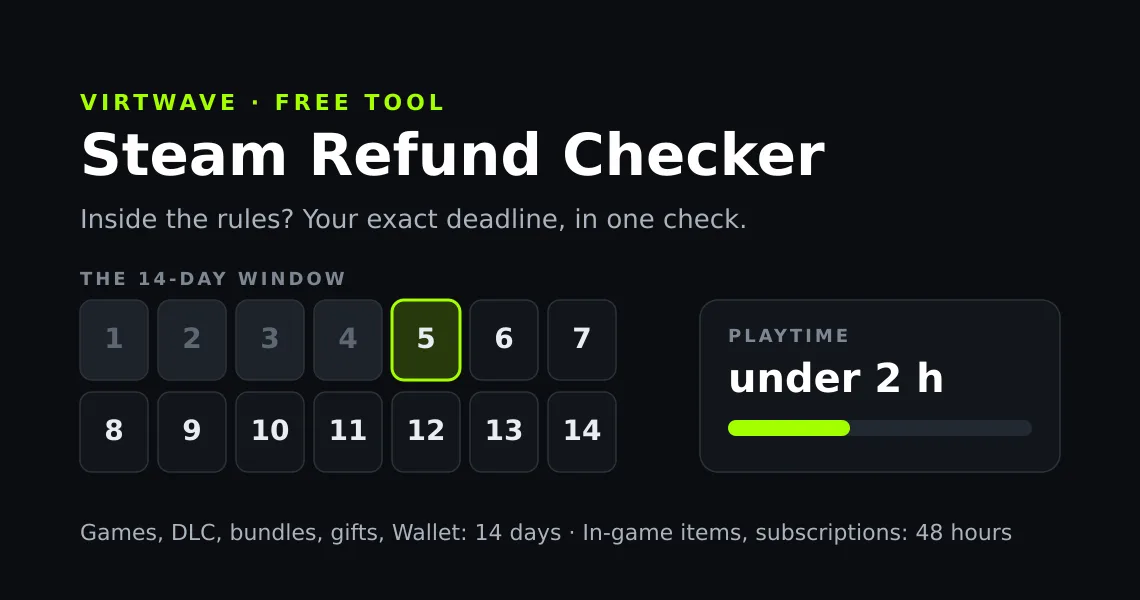
Check a Steam purchase
2 When?
3 How long played?
4 Anything else?
The checker reads today’s date from your device, so it needs JavaScript. The full rules are in the table below the tool.
Steam refund rules for every kind of purchase
Every row is a condition from Valve’s Steam Refunds policy. The checker applies the same rules.
| Purchase | Time limit | Playtime | Other conditions |
|---|---|---|---|
| Game or software | 14 days from purchase | under 2 h | No VAC ban in the game |
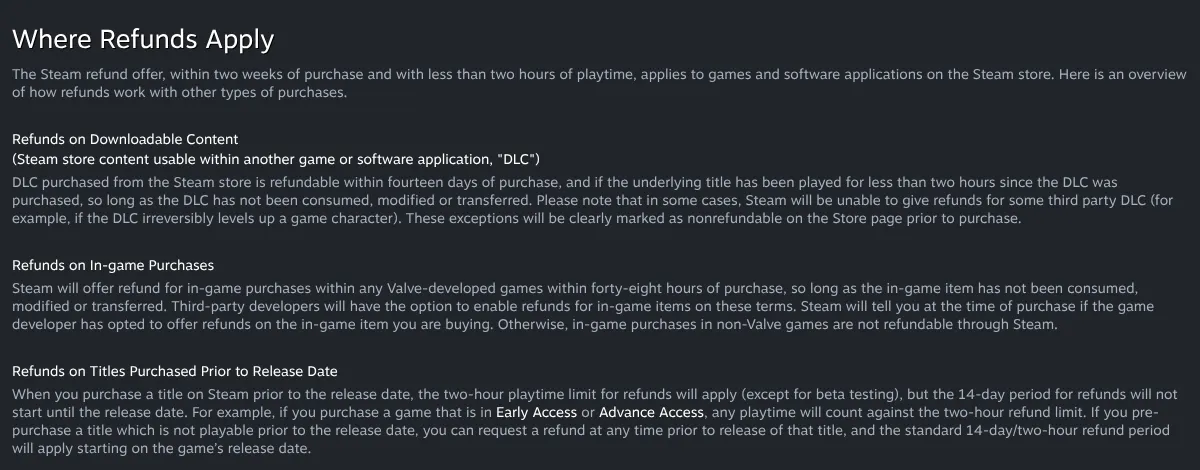
| Pre-purchase | Any time before release, then 14 days from release | under 2 h, Early/Advance Access play counts | Beta-test playtime does not count |
| DLC | 14 days from purchase | Base game under 2 h since the DLC was bought | Not consumed, modified or transferred; some third-party DLC is marked non-refundable |
| Bundle | 14 days from purchase | under 2 h combined | No item transferred |
| Gift | 14 days from purchase | under 2 h once redeemed | Redeemed: the recipient asks; money returns to the buyer |
| In-game item | 48 hours from purchase | — | Valve games, or developers who opt in; not consumed, modified or transferred |
| Steam Wallet funds | 14 days from purchase | — | Added on Steam; none of it spent |
| Subscription | 48 hours from purchase or renewal | — | Not used in the current billing cycle |
| Video | Not refundable | — | Unless bundled with refundable non-video content |
| Key or Wallet card from another shop | Not refundable by Steam | — | The seller’s own refund policy applies |
Steam hardware has its own Hardware Refund Policy and is not covered here.
Worked examples: deadlines for games, pre-purchases, items and gifts
Each case is run through the same checker as the tool above, at fixed dates. Times are in UTC.
- Inside the rules
A game bought at 21:00, played 1 h 18 min, checked a week later
Bought Saturday 7 November at 21:00 and checked Sunday 15 November at 10:00: inside both rules. The window closes Saturday 21 November at 21:00 — 6 days 11 hours away — and there are 42 min of play left before the 2-hour limit. Here the playtime runs out long before the calendar does: one more evening session would end it.
- Inside the rules
A pre-purchase that launched ten days ago
Pre-purchased on 1 September, released Thursday 12 November at 00:00, 1 h played. The 14 days did not start in September: Valve starts them on release day, so on Sunday 22 November at 18:00 there are still 3 days 6 hours left, until Thursday 26 November at 00:00. Before launch it could have been refunded at any time.
- Ask anyway
A game played 2 h 6 min on the first night
13 days 10 hours of the window are left, but 2 h 6 min is over the 2-hour limit, so the purchase is outside Steam’s guaranteed rules. Valve’s policy still says you can ask and it will take a look — a short, honest reason (it crashes, it will not run on your hardware) is worth giving. The checker marks this “ask anyway”, not “no”.
- Ask anyway
An in-game item in a Valve game, checked 49 hours later
In-game items get 48 hours, not 14 days. Bought Friday 20 November at 20:00, the window shut Sunday 22 November at 20:00; by Sunday 22 November at 21:00 it has been closed for 1 hour. Here the time of day matters, which is why the checker asks for it on 48-hour purchases.
- Inside the rules
A gift the recipient has already redeemed
Six days after purchase, 30 min played by the recipient: inside the rules, with 8 days left. But the buyer cannot file it — a redeemed gift must be refunded by the person who received it, and the money goes back to whoever paid.
Steam refund details that are easy to miss
- The 2 hours are “less than”: at exactly 2.0 hours you are already outside. Steam Support counts online, offline and shared-library (Family Sharing) playtime.
- For DLC the clock that matters is the base game’s playtime since you bought the DLC, not since you bought the game.
- In-game items and subscriptions get 48 hours, not 14 days, so the time of purchase matters, not just the date.
- A pre-purchase’s 14 days start on release day. But if the game was playable early (Advance Access in a deluxe edition, or Early Access), that playtime already counts against the 2 hours. Beta tests do not.
- Keys and Steam Wallet cards bought from any other shop — Virtwave included — are not refundable by Steam. The seller’s own policy applies.
- A VAC ban in a game removes the right to refund that game.
- Valve explicitly allows refunding a game you bought just before a sale and buying it again at the sale price.
- If a refund is approved within 24 hours of purchase, the transaction is cancelled instead: you will not see a credit, and your bank can take up to 30 days to drop the hold. Otherwise approved refunds take up to 7 days, and Wallet credit 24–48 hours.
- Refunding does not remove the playtime or achievements from your Steam profile.
How the Steam refund checker works
- Sourced rules
- Every condition comes from Valve’s Steam Refunds policy and Steam Support’s Common Refund Questions page. The checker picks the rule for the kind of purchase you choose — 14 days and under 2 hours for games, 48 hours for in-game items and subscriptions, and so on — and tests each condition separately, so you can see which one fails.
- The window
- It measures the time between the moment you enter (purchase, renewal, or release day for a pre-purchase) and now, and the purchase is inside while that is less than 14 × 24 hours (or 48 hours). The deadline shown is that moment plus the window.
- Four answers, not two
- “Inside the rules” means every published condition holds, so Valve says it will refund on request. “Before release” is a pre-purchase that can be refunded at any time until launch. “Ask anyway” means a condition fails — Valve says it will still look at the request. “Not through Steam” is reserved for what the policy rules out: VAC bans, video, keys and cards bought elsewhere, and in-game items whose developer does not offer refunds.
- What we assume
- Valve does not say which clock or time zone it uses, or whether “fourteen days” means exactly 336 hours. We use 336 hours from the moment you type, in your device’s time zone. If you leave the time blank we assume midnight at the start of that day, which gives the earliest possible deadline — a safe reading, not Valve’s. Playtime is what you type; use the figure on the game’s library page or in the refund form. Nothing is sent to Steam: this tool cannot see your account, and only Steam’s own refund form gives the final answer.
What we checked on 22 November 2026, and what we could not
We read both Valve pages this tool rests on on 22 November 2026. The Steam Refunds policy page still carries “Last updated April 23, 2024” at the foot, so the policy text has not changed since then. Steam Support’s Common Refund Questions page loads its answers with JavaScript — a plain download of the page shows only the menu — so we read it rendered in a browser.
Two details that are easy to miss: Support counts “online, offline and shared library playtime” towards the 2 hours, so a family member playing your copy through Steam Families counts towards your two hours; and for DLC the 2 hours are counted on the underlying game since the DLC was bought, not since the game was.
What we could not check: which time zone or clock Valve measures the 14 days in (neither page says), how often requests outside the rules are approved (Valve publishes no figures), and how refunds work for Steam hardware, which has its own Hardware Refund Policy. We did not file a refund for this page, so nothing here describes a request we made.
Virtwave sells Steam keys and Steam gift cards. Those are purchases made outside Steam, so Steam’s refund rules do not cover them; our own refund policy does.
Steam refund questions, answered
Can I refund a game on Steam?
Yes, for any reason, if you request it within 14 days of purchase and have played it for less than 2 hours. Valve’s refund policy says it will issue the refund on request through help.steampowered.com, and that even outside those rules you can ask and it will take a look. Keys bought from other shops, video, and games you were VAC-banned in are the exceptions.
What is the Steam refund time limit?
14 days from purchase for games, software, DLC, bundles, gifts and Steam Wallet funds; 48 hours for in-game items (in Valve games or where the developer allows it) and for subscriptions, counted from the purchase or the latest renewal. For a pre-purchase, the 14 days start on the release date, and before release you can refund it at any time.
Can I refund a game on Steam with more than 2 hours of playtime?
Not under the guaranteed rules: the limit is less than 2 hours, so 2.0 hours is already over. Steam Support counts online, offline and shared-library playtime. You can still submit a request — Valve says it will look at requests outside the rules, and its policy notes that consumers in some jurisdictions have extra rights when a game is faulty — but approval is not guaranteed.
How long do Steam refunds take?
Valve pays an approved refund within a week; Steam Support says up to 7 days, and 24–48 hours for refunds to your Steam Wallet. If the refund is approved within 24 hours of purchase, the transaction is cancelled instead, so you see no credit and the bank can take up to 30 days to release the hold. International payment methods can take longer.
Can I refund a pre-purchased game on Steam?
Yes. A pre-purchase that is not playable before release can be refunded at any time until launch; after that the standard 14-day, 2-hour rule applies, with the 14 days counted from the release date. If the game is playable early — Advance Access in a deluxe edition, or Early Access — that playtime counts against the 2 hours. Beta-test playtime does not.
Can I refund DLC on Steam?
Within 14 days of purchase, if you have played the underlying game for less than 2 hours since you bought the DLC, and the DLC has not been consumed, modified or transferred. Some third-party DLC is marked non-refundable on its store page before you buy — for example DLC that levels up a character for good.
Can I refund a Steam key or a Steam gift card bought somewhere else?
Not through Steam. Valve’s policy says it cannot refund purchases made outside Steam, naming CD keys and Steam Wallet cards bought from third parties. That includes keys and cards from Virtwave: the seller’s own refund policy applies, and an unused key is the seller’s to handle.
Can I refund a gift on Steam?
Unredeemed gifts can be refunded by the buyer within the standard 14-day, 2-hour window. Once redeemed, the recipient has to request the refund, under the same conditions, and the money goes back to whoever paid for it.
Can I refund a game I bought right before a sale?
Yes. Valve says it does not consider it abuse to refund a game bought just before a sale and immediately buy it again at the sale price, as long as the first purchase is still inside the refund rules. What Valve does reserve is the right to stop offering refunds to accounts that appear to abuse them.
Do I lose achievements or playtime if I refund?
No. Steam Support says refunding does not remove the playtime or achievements from your Steam Community profile.
Sources
Every figure the calculator uses was checked against these pages on .
- Valve (Steam)Steam Refunds — the refund policy (last updated 23 April 2024)
- Steam SupportCommon Refund Questions
Update history
Published 22 November 2026: rules checked against Valve’s Steam Refunds policy (last updated 23 April 2024) and Steam Support’s Common Refund Questions page.
Related Steam tools and guides
- How to refund a game on SteamThe step-by-step request: where to click, which reason to pick, and what happens next.
- Steam Families guideShared-library playtime counts towards the two hours — how Steam Families sharing works.
- Steam Key CheckerCheck a key’s format before you redeem it — keys from shops are not refundable by Steam.
- Game Download Time CalculatorHow long a game takes to download at your connection speed.
- Steam Market Fee CalculatorWhat you keep when you sell an item on the Community Market.
- Steam Level CalculatorXP, badges and what each Steam level unlocks.
A refund to your Steam Wallet stays in the Wallet. To add money instead, US Steam gift cards at Virtwave:$20 US Steam gift card$50 US Steam gift card
Who maintains this tool
Senior Gaming Commerce Editor, Virtwave · Built and maintains this calculator
Rayyan covers console and PC gaming wallets for Virtwave, with deep specialism in PlayStation Network, Xbox, Razer Gold and Steam. He has been writing about digital gaming commerce since 2020.
Lead Editorial, Virtwave · Checks every figure before an update
Layla leads the Virtwave content desk. She oversees every blog post before publication, with a focus on long-form gift card guides, payment wallets, and SEO best practice for the gift card industry.
Virtwave sells Steam keys and Steam gift cards. Those are bought outside Steam, so Steam’s refund rules on this page do not apply to them. Nothing you type on this page leaves your browser.
Use these numbers in your own article or video
You are welcome to quote any figure on this page. Please link back to the calculator so your readers can check the numbers when Roblox changes them — we keep this page up to date.
<a href="https://www.virtwave.com/tools/steam-refund-checker">Steam Refund Checker by Virtwave</a>Omar, R. (2026). Steam Refund Checker. Virtwave. https://www.virtwave.com/tools/steam-refund-checkerVirtwave is not affiliated with, endorsed by or sponsored by Valve. Steam and the Steam logo are trademarks of Valve Corporation, used for identification only. Only Steam Support can approve a refund; this checker reads the published rules and cannot see your account.